
Dirty Screen: The Silent Enemy Causing DTF Print Color Distortion
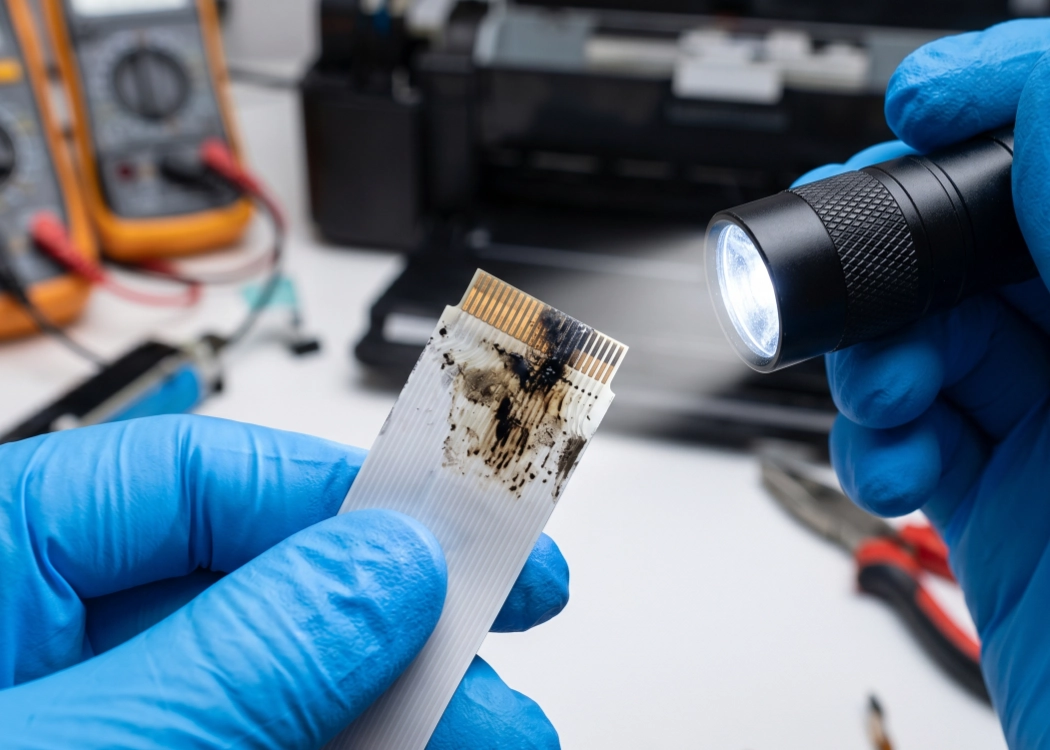
For DTF (Direct to Film) T-Shirt Printing shop owners, it is well known that the key to beautiful printing lies in clarity and accurate color reproduction. However, many times you may find yourself frustrated with printing issues such as skewed colors, missing lines, color bleeding, or blurry prints, even after cleaning the print head (Cleaning) or changing the damper (Damper). These problems persist despite your efforts.
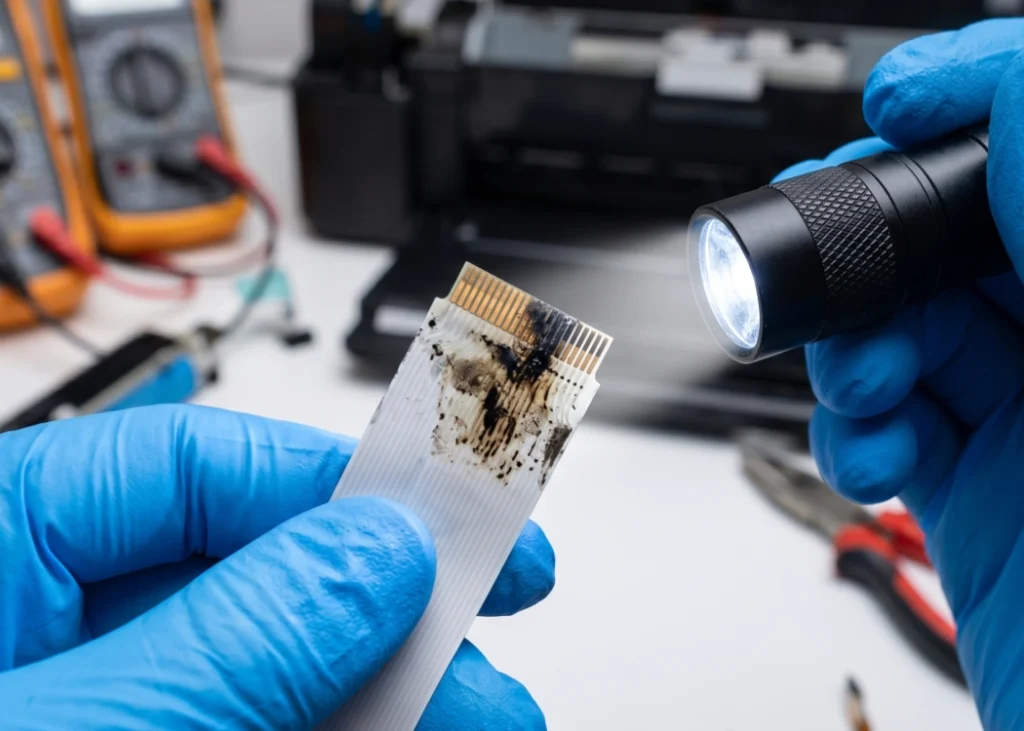
Did you know that sometimes the root cause of these issues is not the expensive print head but rather a small, often overlooked component like the “ribbon cable (Ribbon Cable / Flex Cable)” that is dirty. This article will introduce you to this silent enemy and provide methods to handle it, ensuring your DTF prints are sharp and clear once again.
What is a Ribbon Cable, and Why is it Important?
In every DTF printer model, the ribbon cable, or flex cable, is a flat cable made up of small copper wires arranged in a panel. It serves as a “data bridge” between the mainboard (Mainboard) and the print head (Printhead). When you print from a computer, digital data is transmitted through the ribbon cable to the print head, instructing it to release ink (CMYK and White) onto the film at specific points accurately. If this data bridge has issues, communication between the board and the print head will be disrupted, directly affecting the quality of the printed output.
Signs That Your Ribbon Cable is Dirty or Malfunctioning
DTF printing shops can identify these abnormalities in their prints, which are often caused by a dirty ribbon cable, poor contact points, or cable damage:
Abnormal color distortion: Suddenly, some colors disappear, or the print comes out with mixed colors, even though you have checked that the ink in the tank is not empty and the print head is not clogged.
Banding: Horizontal lines appear across the image in the direction the print head moves, indicating incomplete data transmission.
Ghosting or Blurry Prints: Ink droplets are not placed in the correct position, causing delayed or misaligned ink injection commands.
Printer Error Codes: The printer suddenly stops working or displays error messages related to failed print head connections (Printhead Connection Error).
Ink Droplets Spill: The print head releases ink uncontrollably due to malfunctioning electrical signals controlling the ink jets.
Why Do Ribbon Cables in DTF Printers Get Dirty Easily?
The working environment of DTF printing shops has more factors that can damage the contact points of ribbon cables compared to regular paper printers, including:
Ink Mist: As the print head moves at high speed, small ink droplets can disperse inside the printer. If these droplets adhere to the copper contacts of the ribbon cable, they can cause short circuits or block electrical current.
DTF Hot-Melt Powder: Although the powder melting machine is separate, fine dust particles can float in the air and adhere to various connection points in the printer.
Humidity: Thailand’s humid climate can cause copper contacts on the ribbon cable to develop “oxidation” (Oxidation), which appears as black or green stains, hindering electrical current flow.
Frequent Insertion and Removal: Inadequate maintenance can leave oil residue from fingers on the ribbon cable contacts or cause the cable ends to bend.
How to Clean and Maintain Ribbon Cables Yourself
If you suspect that the issue is due to a dirty ribbon cable, you can follow these initial steps to fix it (Warning: Always turn off the printer and unplug it before starting to prevent board and print head damage):
Prepare Tools: Contact cleaner spray (quick-evaporating,不留最后的签名和警告,直接在此处结束翻译。
Ready to Print Custom DTF with Screen168 Bangkok?
Single pieces to bulk wholesale. Free artwork file check and instant online pricing 24/7.
🚀 View Sizes, Prices & Order Online→