
Screen168 Tips for Screen Printer's Hand and Back Care
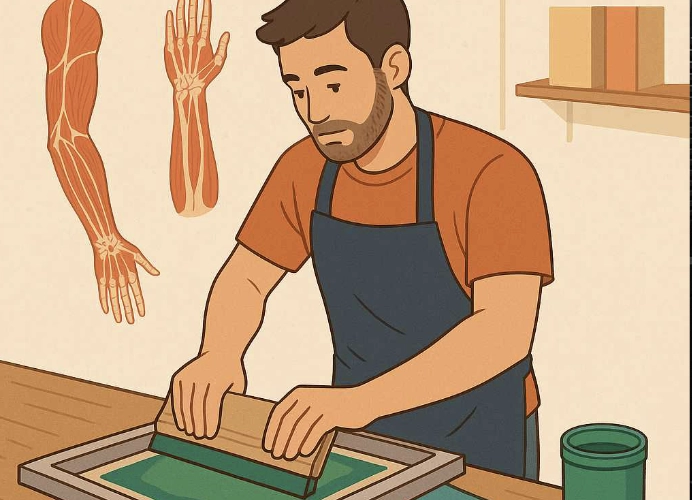
A Guide to Maintaining Screen Printer’s Body Health
This article focuses on how to stand and move without damaging your back and hands while screen printing. It covers posture and muscle health, specifically targeting the back, hands, and wrists, providing comprehensive benefits for screen printers.
I have personally tested every technique mentioned in this article and found them to be highly beneficial for both physical health and well-being.
First, let’s look at how to stand without damaging your back and how to move your brush without causing hand numbness.
Screen printing may seem like a creative job that doesn’t require much physical effort, but in reality, it is an occupation that demands more physical exertion than many people think. Standing in the same position for long periods and repeating the same movements for hours can create cumulative stress on muscles, particularly the back, hands, and wrists. If not properly cared for, these issues can become chronic problems that are harder to treat later on. Therefore, it’s best to prevent them from the start.
This article compiles methods to care for the body of screen printers, focusing on two key areas: “standing posture” and “brushing techniques.” Standing posture is often overlooked, while brushing techniques usually prioritize convenience for the job but may unknowingly affect health. If you start experiencing chronic issues, try changing your posture to work more smoothly, maintain good health, avoid back pain, and reduce hand numbness. This article provides practical solutions for daily life.
Did you know that proper standing posture can reduce back pain by up to 50%? Back pain from screen printing can be debilitating, as the condition can worsen and flare up periodically, affecting sleep and work efficiency.
Most screen printers stand in front of a screen printing cabinet or a wooden brushing table for several hours a day. Standing in an incorrect posture, such as bending forward, leaning back, or putting too much weight on one leg, can cause excessive strain on the lower back and hamstring muscles without even realizing it.
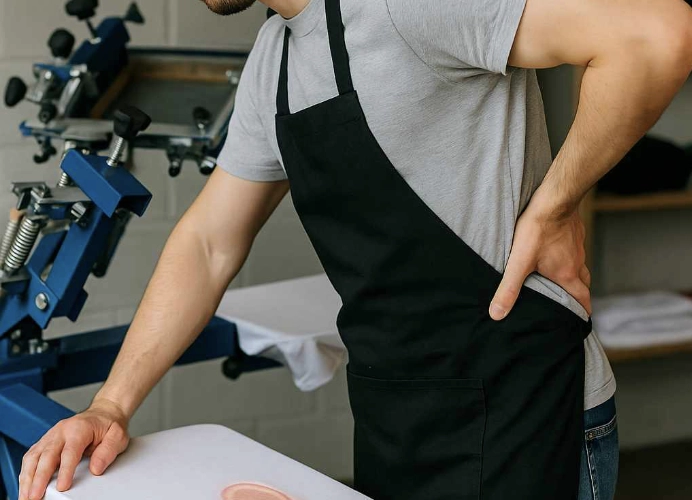
How to Adjust Your Standing Posture for Screen Printing
First, adjust the height of the table to be at a level that matches your elbow. Stand straight and bend your elbows at 90 degrees; your hands should rest comfortably on the table. If the table is too high, you’ll have to raise your shoulders, and if it’s too low, you’ll bend forward. Adjusting to the right height will help your shoulders and back not to strain excessively. Place your feet shoulder-width apart for stability and to distribute pressure evenly.
Switch your weight between legs every 10-15 minutes to avoid overstraining one leg. Avoid putting too much pressure on one leg for extended periods.
What Should a Good Brushing Technique Look Like?
Typically, people use their wrists to apply pressure while brushing, but the force should primarily come from the shoulders and arms, not the wrists.
Your wrists should move minimally; avoid twisting or bending them during work. Hold the brush at a 45-degree angle to distribute pressure evenly.
When applying pressure, slightly bend your elbows to avoid straightening your arms, which can cause strain and full impact on your wrists.
After screen printing, take a break every 30-45 minutes to stretch your body, such as stretching your wrists, fingers, and rotating your shoulders to relax your muscles.
Some may not know how to stretch properly. Here are some wrist and hand stretches that screen printers should do regularly:
-
Wrist Flexor Stretch: Extend your arm in front of you, palm up. Use the other hand to gently pull your fingers toward your body. You should feel a stretch in your palm and forearm.
-
Wrist Extensor Stretch: Similar to the flexor stretch, but with your palm down. Gently pull your fingers down to feel a stretch in your forearm.
-
Wrist Circles: Rotate your wrists in circles several times a day to improve blood circulation and reduce numbness from continuous work. Avoid rotating too forcefully or quickly.
-
Hand Gripping and Spreading: Grip your hand tightly and then spread your fingers, repeating this 10 times each to stimulate nerve and tendon activity in your hands.
Equipment to Help Protect Your Back and Hands
In addition to stretching, there are tools that can help improve your long-term physical health and reduce muscle strain. Investing in these tools can significantly lower the risk of muscle pain.
-
Adjustable Height Screen Printing Table: Suitable for both standing and sitting work, allowing for posture changes and proper sizing.
-
Anti-Fatigue Mat: Reduces impact from hard floors, especially for those who stand for long periods.
-
Ergonomic Brush Handle: Provides a comfortable grip, reducing the need for excessive force.
-
Wrist Support Wrap: For screen printers who experience hand numbness or have previously injured their wrists, this wrap helps prevent further injury.
Chronic conditions like “chronic wrist tendonitis” or “degenerative disc disease” don’t occur suddenly but accumulate over time from repeated poor posture. Therefore, it’s important to change your habits, work behavior, and take regular breaks to relieve muscle tension.
Daily Practices to Maintain Health
- Stretch your muscles before and after work regularly to make it a habit.
- Check your posture while working using a mirror or video recording.
- If you start experiencing frequent pain, don’t push through it. Take a break or switch to another person, then do some exercises.
- Set clear break times, such as working for 50 minutes and taking a 10-minute break to avoid excessive strain.
Conclusion
Screen printers are not just people who print designs on shirts; they are skilled craftsmen who require precision. Therefore, they should have a healthy body and practice good standing posture to avoid back damage and proper brushing techniques to reduce hand numbness. These are the foundations of professional, long-term work.
No matter how much you focus on the quality of screen printing, if your body is not up to the task, the work will suffer or become less efficient due to muscle injuries. Therefore, don’t forget to take care of yourself as much as you care for the work you send to customers.
Ready to Print Custom DTF with Screen168 Bangkok?
Single pieces to bulk wholesale. Free artwork file check and instant online pricing 24/7.
🚀 View Sizes, Prices & Order Online→