
What Causes Oil Stains on DTF Film? Solutions for Screen Printers
Understanding and Solving DTF Film Oil Stains
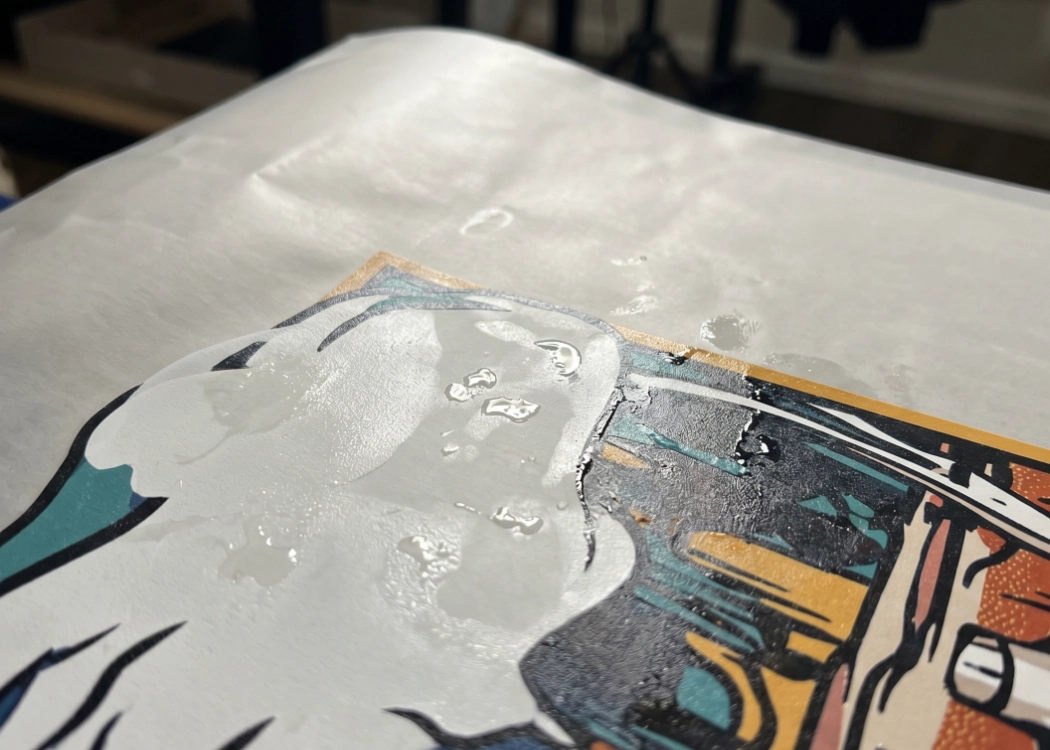
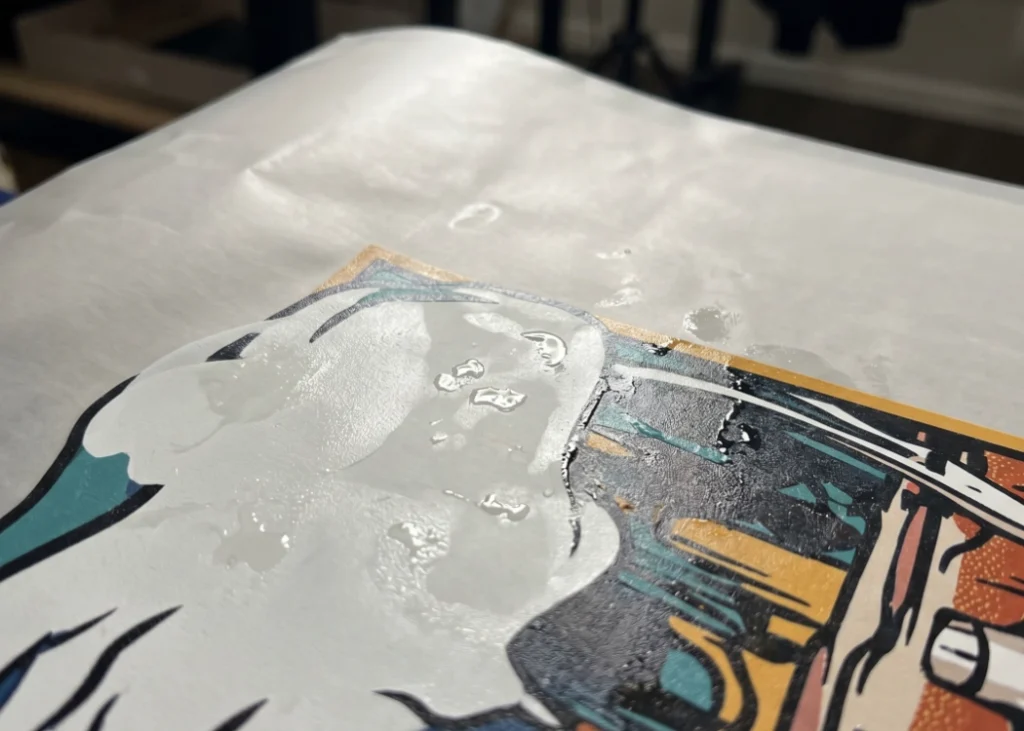
If you own a DTF (Direct to Film) T-Shirt Printing shop or are studying about this printing technique, you’ve likely encountered one of the most frustrating issues: “oil stains on DTF film.” These stains can appear as wet spots or shiny spots on the film after printing and heat curing. This problem not only affects the appearance of the print but can also cause issues when transferring the design to clothing, such as uneven ink adhesion, color bleeding, or even lifting of the adhesive.
In this article, we will delve into the causes of oil stains on DTF film and provide solutions to ensure your T-shirt printing business produces the highest quality prints.
What Are DTF Film Oil Stains (Glycerin Pooling)?
First, it’s important to understand that the “oil” you see is not actual oil but glycerin, a humectant that is a key component in DTF ink, particularly in white ink. Glycerin’s role is to prevent ink from drying and clogging the printhead. However, when ink is printed onto the film and heat cured, the glycerin should evaporate completely. If it doesn’t, it can separate and accumulate on the film surface, forming the oily or wet stains we call oil stains.
Main Causes of Oil Stains on DTF Film
There are four primary reasons why glycerin doesn’t fully evaporate and causes oil stains:
- Room Humidity and Climate Conditions
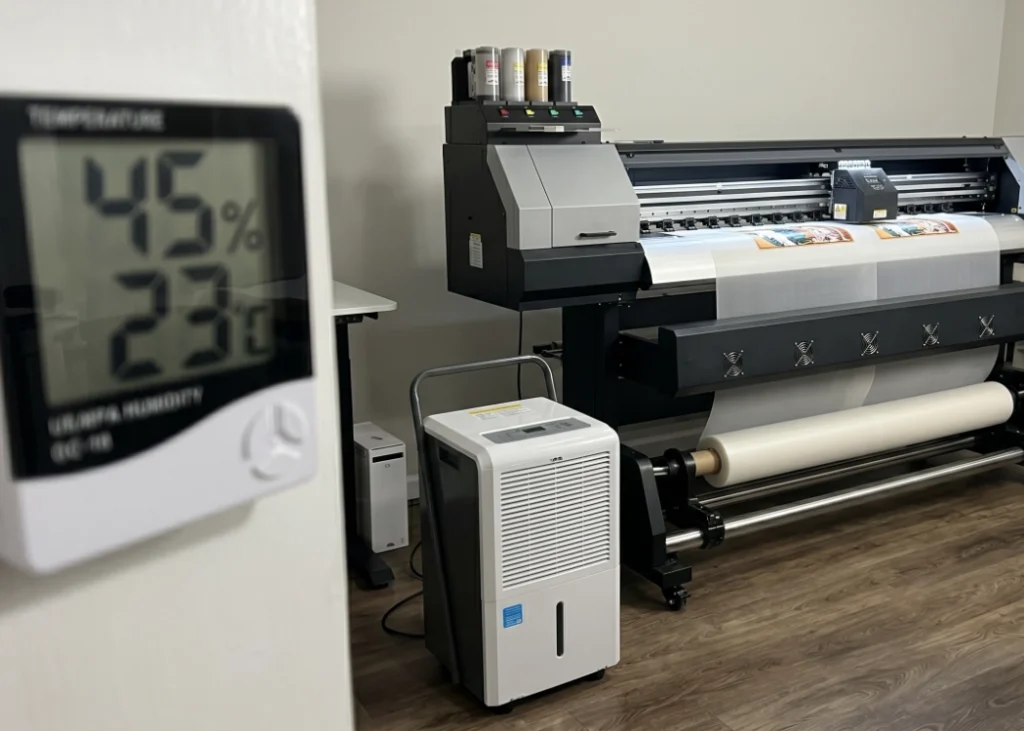
DTF printing is highly sensitive to humidity. A room with high humidity can cause glycerin to remain on the film. Installing air conditioning and dehumidifiers to maintain a relative humidity of 40-55% and a temperature of 20-25°C is crucial.
- Adjusting the Heat Curing Oven Settings
Increasing the temperature or curing time can help. For example, raising the temperature from 120°C to 130°C or 140°C, or slowing down the conveyor belt to allow the print to stay in the oven longer (about 2.5-3 minutes) can help evaporate the glycerin.
- Reducing White Ink Density
Adjusting the white ink density in your RIP software can help. Lowering the white ink limit from 100% to 70-80% can reduce the likelihood of oil stains while still achieving vibrant colors.
- Using High-Quality Materials and Equipment
Selecting high-quality DTF ink and film with consistent coating can significantly reduce glycerin residue and improve print quality.
- Allowing Film to Rest Before Heat Pressing
After heat curing, allow the film to rest and cool in a well-ventilated area for at least 12-24 hours. This helps any remaining moisture evaporate, ensuring a smooth and clean transfer.
How to Effectively Solve DTF Film Oil Stains
Once you understand the causes, addressing the issue becomes straightforward:
- Control Room Temperature and Humidity
Install air conditioning and dehumidifiers to maintain optimal conditions. Check the weather regularly and adjust your printing schedule or curing time accordingly.
- Adjust Heat Curing Oven Settings
Increase the temperature or curing time to ensure glycerin fully evaporates. Consider double curing or using a hovering heat press to remove residual moisture.
- Reduce White Ink Density
Adjust your RIP settings to lower the white ink density, which can help prevent oil stains and save ink costs.
- Choose High-Quality Materials and Equipment
Using high-quality DTF ink and film can significantly reduce glycerin residue and improve overall print quality.
- Allow Film to Rest Before Heat Pressing
After heat curing, allow the film to rest and cool before pressing to ensure a clean and smooth transfer.
Why DTF T-Shirt Printing Shops Must Address This Issue
DTF printing is popular for its ease of use and vibrant colors, but it requires attention to detail. Oil stains are not a critical issue, but they can affect the professionalism of your shop. By controlling quality, managing the environment, and adjusting equipment settings, you can ensure that your prints are vibrant, smooth, and free from defects. Implementing these solutions will reduce waste, lower costs, and impress your customers, ensuring repeat business.
Ready to Print Custom DTF with Screen168 Bangkok?
Single pieces to bulk wholesale. Free artwork file check and instant online pricing 24/7.
🚀 View Sizes, Prices & Order Online→