
Setting Up Quality Control for DTF Printing Before Delivery
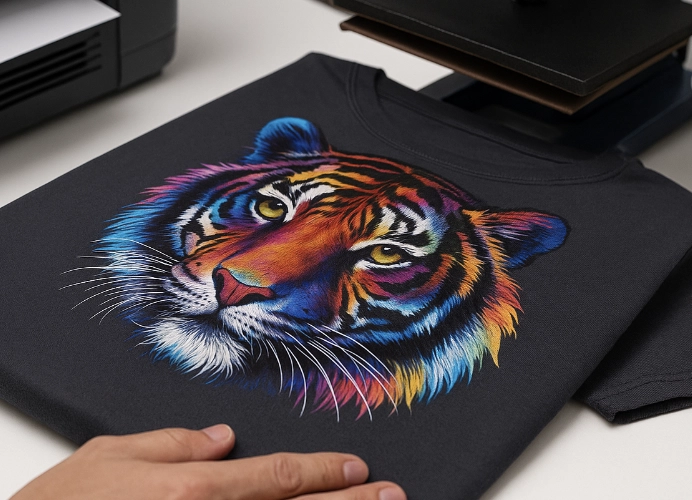
DTF T-Shirt Printing Quality Control: The Key to Success in the Garment Printing Business
DTF (Direct to Film) printing is rapidly gaining popularity in the garment printing industry due to its ability to print intricate designs with vibrant colors and accommodate both small and large production runs. However, without a robust quality control system, printing shops may face issues such as color discrepancies, cracked or easily peeled prints, leading to customer dissatisfaction and lost business.
Therefore, establishing a quality control system for DTF prints before delivery is crucial for maintaining high standards, building trust, and minimizing unnecessary losses. This article will provide a detailed explanation of how to set up such a system, including examples of inspection steps, techniques, and practical applications.
Why T-Shirt Printing Shops Need a DTF Quality Control System
Reduce Defects and Costs
Poor quality prints, such as ink smears, faded colors, or incomplete prints, can lead to customer rejection, resulting in wasted time, materials, and shipping costs. A quality control system helps prevent these losses.
Maximize Customer Satisfaction
Customers who receive prints that match the original file, with bright colors and durable adhesion, will feel that the shop has high standards and pays attention to every detail, leading to repeat orders and referrals.
Systematize Work and Minimize Errors
With clear manuals or checklists, new employees can work correctly, reducing communication errors. Employees can follow the checklist to ensure comprehensive coverage and no omissions.
Gain a Competitive Edge
In a highly competitive market, shops with stable and consistent quality will stand out, earning customer trust and confidence in the printed t-shirts they receive.
Steps to Establish a DTF Printing Quality Control System

- Check the Print File Before Printing
A good file is the foundation of high-quality printing.
- Resolution: Set at least 300 DPI for sharp lines and details.
- Size: Ensure it matches the customer’s requested garment size.
- Color Mode: Use CMYK, not RGB, as DTF printers work with CMYK.
- Background: For single-color designs, use transparent files (.PNG). Ensure the background is completely removed.
Common Issues:
- Low-resolution photos sent by customers → Inform customers to adjust the file.
- RGB files printed with color discrepancies → Always convert to CMYK.
2. Check the Printer and Ink
DTF printers are crucial for production. Without pre-use checks, quality issues may arise.
- Nozzle Check: Print test lines before starting to ensure nozzles are clear.
- Ink Condition: Old or sedimented ink may clog nozzles.
- Environmental Conditions: Maintain room temperature (25–28°C) and humidity (40–60%) to prevent ink from drying too quickly.
Common Issues:
- Uneven ink flow → Clean the printer and adjust pressure.
- Printer instability due to proximity to windows → Re-position the printing room.
3. Check the Film and Hot-melt Adhesive Powder
- DTF Film: Must be clean, free of dust and scratches.
- Adhesive Powder Application: Too thick or thin can affect print quality.
- Film Baking: Control temperature and time for proper adhesive melting.
4. Pressing the Film onto the Fabric
This final step determines the print’s durability.
- Temperature: Typically 160–170°C.
- Time: About 15–20 seconds (depending on fabric and adhesive type).
- Pressure: Must be consistent across the entire surface.
Techniques:
- For cotton → Use slightly higher temperature for better adhesive penetration.
- For polyester → Be cautious of excessive heat to avoid fabric shine.
5. Post-Press Inspection
- Color: Must be vibrant and match the original file.
- Clarity: Small text and thin lines must be readable.
- Adhesion: Gently pull to check print firmness.
- Surface: Must be smooth, free of wrinkles or air bubbles.
6. Record and Create Quality Checklists
Shops with checklists ensure employees follow standardized procedures.
Example Checklist:
- File checked
- Nozzle check passed
- Film clean
- Pressed smoothly, print adheres well
- No defects on the shirt
- Packaging complete
Common DTF Printing Issues and Solutions
-
Color Discrepancies:
- Cause: Using RGB files or poor ink quality.
- Solution: Convert files to CMYK and check ink age.
-
Easily Peeling Prints:
- Cause: Uneven adhesive application or improper pressing temperature.
- Solution: Adjust adhesive applicator and test pressing before actual work.
-
Shiny Fabric Marks:
- Cause: Excessive pressing temperature.
- Solution: Lower temperature and use a pressing pad.
-
Blurred Prints:
- Cause: Clogged nozzles.
- Solution: Clean nozzles and perform nozzle check.
Building a Reliable T-Shirt Printing Shop
- Train Employees: Ensure they understand quality control steps.
- Establish SOPs: For every step, from file to delivery.
- Utilize Technology: Use production tracking software.
- Quality Control Reports: Summarize defect percentages to reduce future errors.
Benefits of a Quality Control System
- Cost Reduction: Fewer defects, less wasted material.
- Increased Speed: Employees know the steps, reducing trial and error.
- Higher Revenue: Customers trust and order more.
- Brand Building: Shops become professional and more trustworthy.
In conclusion, DTF printing is not just about the printer or ink but also about having a robust quality control system before delivery. Shops that pay attention to every step from file to delivery can create a difference, build trust, and increase sales sustainably.
Therefore, if you own a t-shirt printing shop, start creating checklists, inspect every job before delivery, and develop a clear system. This will help your shop become a professional, trusted brand.
Ready to Print Custom DTF with Screen168 Bangkok?
Single pieces to bulk wholesale. Free artwork file check and instant online pricing 24/7.
🚀 View Sizes, Prices & Order Online→