
Common DTF Printing Issues and How to Solve Them
But Don’t Worry, Every Problem Can Be Solved
With the increasing popularity of DTF (Direct to Film) printing technology, the screen printing industry widely adopts this system due to its versatility in printing various designs with vibrant and sharp colors, suitable for different types of fabrics (unlike other printing systems that are often limited to specific types of fabrics, DTF printing can be applied to various fabrics).
Despite its numerous advantages, the printing process can encounter issues at every step because it requires meticulous attention and maintenance of the printing equipment. However, understanding the root causes and proper solutions can help screen printers produce high-quality work smoothly and professionally, provided they have trained and understood the system and materials involved.

1. Ink Does Not Adhere to the Film or Spreads Out
Many screen printers often encounter this issue periodically. To solve it, one must first identify the cause, which is often due to the ink not being compatible with the film (our store sells film, ink, and hot-melt adhesive powder that have been tested to work well together, enhancing each other’s quality).
Sometimes, using low-quality ink can lead to poor printing results, or ink stored for too long may expire. Additionally, improper temperature settings on the printer head can cause issues. Each job may require different settings, and it requires expertise to fine-tune.
These problems can be resolved:
- Use high-quality coated film specifically designed for DTF printing.
- Check the expiration date and compatibility of the ink with the printer.
- Adjust the printer head temperature to ensure the ink dries properly without spreading.
2. Printed Colors Fade or Do Not Match the Original File
Many encounter this issue, but it’s important to note that color values on different computers may vary. Some shops may lack color management, leading to ink or film not matching the printer, or incorrect RIP software settings.
To resolve:
- Install ICC profiles suitable for the printer, ink, and film.
- Use appropriate RIP software like AcroRIP or Kothari.
- Test print a color chart to set the correct parameters before actual printing.
3. Printed Design Peels Off After a Few Washes
This issue often stems from the printing process or the quality of the hot-melt adhesive powder. Using low-quality powder can lead to this problem repeatedly. Incomplete or insufficient heating of the powder can also cause it, or improper heat pressing can result in peeling.
To fix:
- Use high-quality DTF hot-melt adhesive powder.
- Ensure the powder is evenly heated across the film.
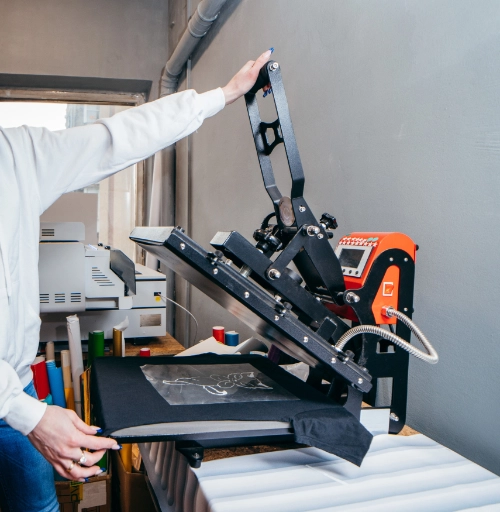
- Use a heat press with appropriate pressure and time settings for high-quality results.
4. Film Does Not Peel Completely or Ink Sticks to the Film
Screen printers often face difficulties in peeling the film completely, causing ink to stick and ruining the print.
Causes include low heat press temperature, leading to unstable prints, or peeling at incorrect temperatures. Follow the manufacturer’s recommendations for the film type (Hot Peel or Cold Peel).
To resolve:
- Check the film type and follow manufacturer instructions.
- Test peeling at the appropriate temperature (Hot Peel immediately after pressing, Cold Peel after cooling).
- Increase heat press temperature or pressure if ink sticks to the film.
5. Pressing Results in Partial Adhesion or Edge Lift
This issue occurs when the heat press does not apply even pressure, often due to fabric irregularities or incomplete adhesive coverage.
To fix:
- Adjust the heat press to ensure even pressure across the film.
- Ensure the hot-melt adhesive powder is evenly distributed and shaken before heating.
6. Printer Head Clogs, Leading to Broken Lines
This is a common issue in screen printing, often due to infrequent use or sediment buildup in the ink system, or printer malfunction.
To resolve:
- Use the printer daily and print at least once a day to keep the head clean.
- Use cleaning solutions or automatic cleaning systems regularly.
It is clear that while DTF printing offers versatility and high-quality results, it requires continuous maintenance of equipment and the use of high-quality materials. Understanding each step in detail can help manage common issues professionally, ensuring smooth, beautiful, and customer-satisfying results. This leads to more detailed and high-quality work.
Ready to Print Custom DTF with Screen168 Bangkok?
Single pieces to bulk wholesale. Free artwork file check and instant online pricing 24/7.
🚀 View Sizes, Prices & Order Online→