
Organize Your DTF Printing Tools Like a Pro: Smooth Workflow, No More Running Around
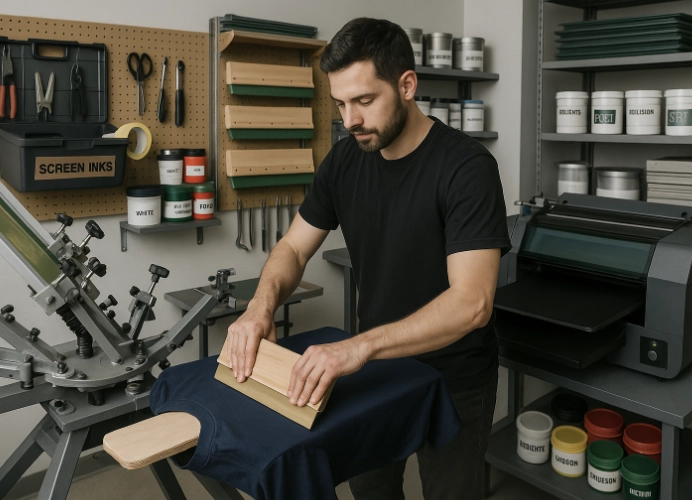
Streamlining Your DTF T-Shirt Printing Workflow
Have you ever been in the middle of applying ink to a beautiful shirt, only to be halted because you can’t find the right squeegee blade? Or perhaps you’re mixing ink according to a customer’s order but can’t locate your favorite palette knife. These minor issues can disrupt your workflow, waste time unnecessarily, and impact the overall quality of your screen printing. At Screen168, we believe that being a professional screen printer is not just about the quality of your prints, but also about the efficiency and organization of your workspace.
Streamlining Your Workspace
1. Organize Your Work Area
A well-organized workspace can increase your productivity by 20-40% without the need to constantly search for tools. Here’s how to get started:
Define Zones
- Inking Area: Keep all your inks and chemicals in one area. Use the FIFO (First In, First Out) principle to ensure that older inks are used first.
- Screen Storage: Use vertical racks to store screens upright to save space and prevent damage.
- Curing and Packaging: Designate a station for curing and packaging your prints to ensure a smooth workflow.
Label Everything
- Label each screen with important details such as the design name, mesh count, and date of creation.
- Use clear labels for all inks and chemicals to avoid confusion and misuse.
2. Screen Storage System
Screens are large and delicate. Proper storage is crucial to prevent damage and ensure easy access.
- Invest in Screen Racks: Vertical racks can hold screens upright, saving space and making them easy to find.
- Labeling is Key: Attach labels to each screen with details like design name, mesh count, and status (e.g., ready to use, needs cleaning, damaged).
3. Organize Squeegees and Small Tools
- Squeegee Storage: Use a hanging system or dedicated rack to keep squeegees sharp and ready to use.
- Pegboard: Use pegboards to hang small tools like palette knives, scissors, and tape.
4. Manage Inks and Chemicals
- FIFO Principle: Place new ink batches behind older ones to ensure older inks are used first.
- Group and Label: Organize inks by type (plastisol, water-based) and color code them for easy identification.
5. Implement a Clean-As-You-Go Policy
Maintain a clean and organized workspace by cleaning up as you go. This includes:
- Regularly checking ink levels and condition.
- Inspecting tools for wear and tear.
- Cleaning up spills immediately to prevent damage.
The Benefits of a Well-Organized Workspace
- Increased Productivity: Spend less time searching for tools and more time printing.
- Reduced Waste: Minimize the risk of using the wrong tools or materials.
- Improved Customer Confidence: A well-organized shop reflects professionalism and reliability.
- Reduced Stress: A tidy workspace promotes a calm and efficient work environment.
Conclusion: From Chaos to Professionalism
Organizing your screen printing tools is not just about cleanliness; it’s an investment in efficiency, quality, and professionalism. When your workflow is smooth and uninterrupted, you have more time and energy to focus on creating high-quality prints for your customers.
Start with small steps, like organizing a single drawer, and gradually build a system that works for your entire shop. This will save you time, money, and effort in the long run.
At Screen168, we pay attention to every detail of the production process, from organizing your workspace to quality control before delivery. If you’re looking for a reliable and professional screen printing service for team shirts, brand shirts, or special event shirts, contact us today. We’re here to provide expert advice and services to help you create stunning prints.
Ready to Print Custom DTF with Screen168 Bangkok?
Single pieces to bulk wholesale. Free artwork file check and instant online pricing 24/7.
🚀 View Sizes, Prices & Order Online→